Role
Designer
Client
AT&T
Team
AT&T Design
Type
Concept guidance
The biggest change we made was to shift the responsibility of verifying user identity from the user to AT&T. This immediately relieved several user pain-points.
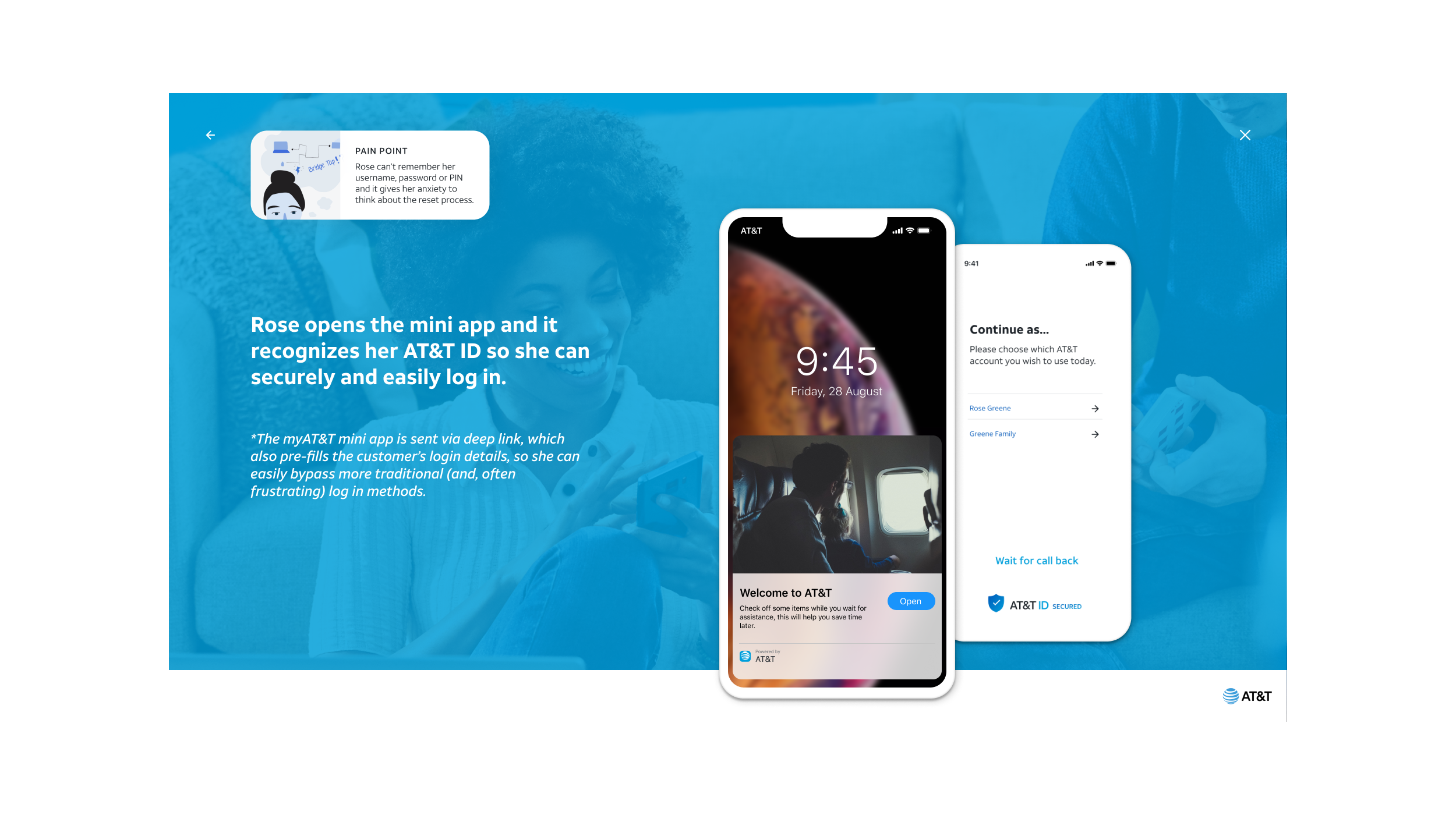
If a user is profiled as a low-risk risk they can log in seamlessly. Additional measures to verify are only used as needed.
With the new vision for AT&T authentication. Customers are vetted on multiple factors in the background. Such as their location if they’re in a store, what device they’re using, their phone number, and their recent activity such as buying a new phone.
In many cases, the risk of fraud is so low that customers don’t need to remember their password to accomplish what they came in for. They’ve already been verified.
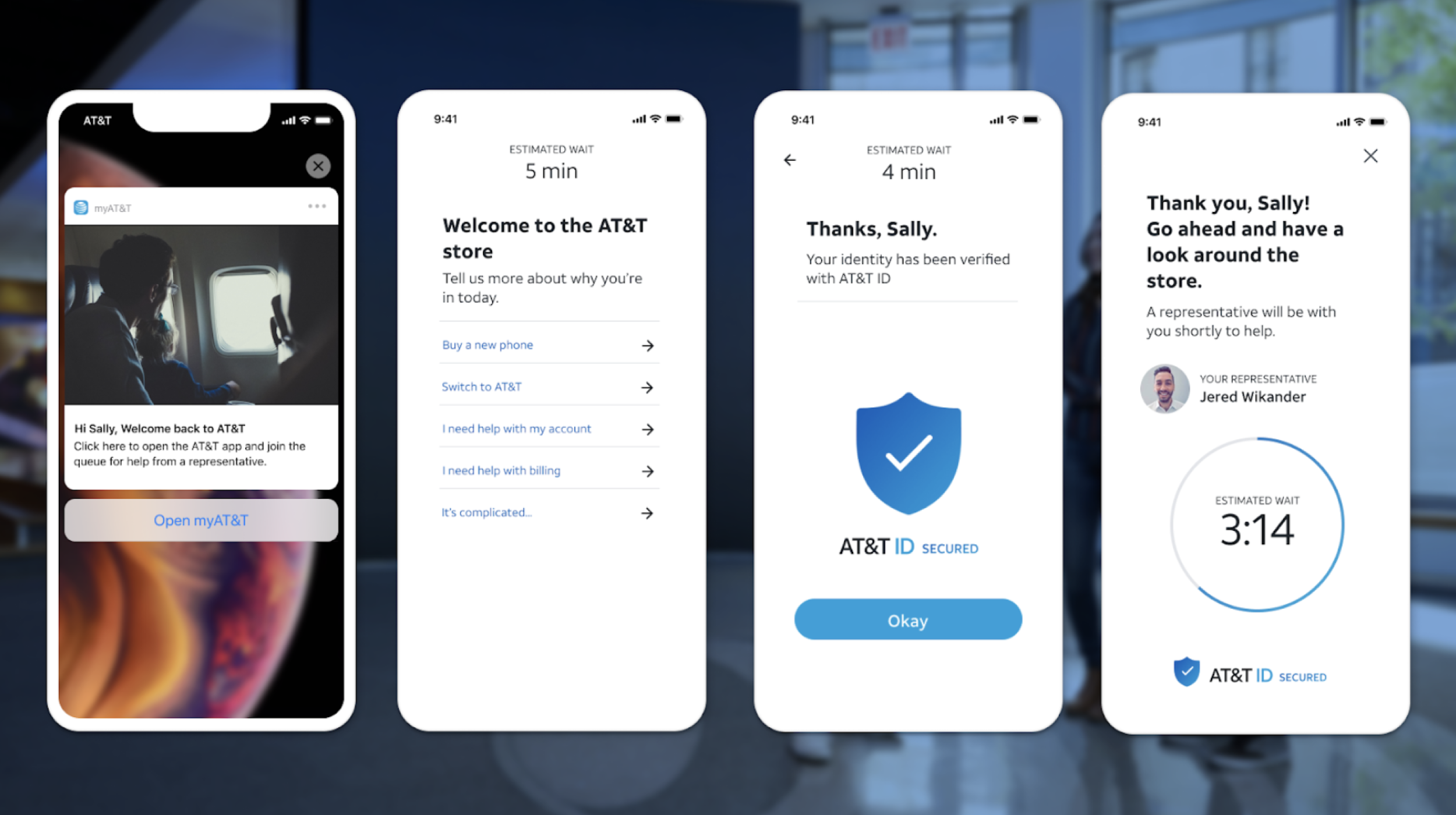
Customer support staff were a weak point for customer security. Unfortunately, identity thieves sometimes get jobs as Customer Support staff and steal people’s personal information when verifying their ID.
By putting AT&T in the middle, customers are more accurately vetted for risk and their information is more secure.
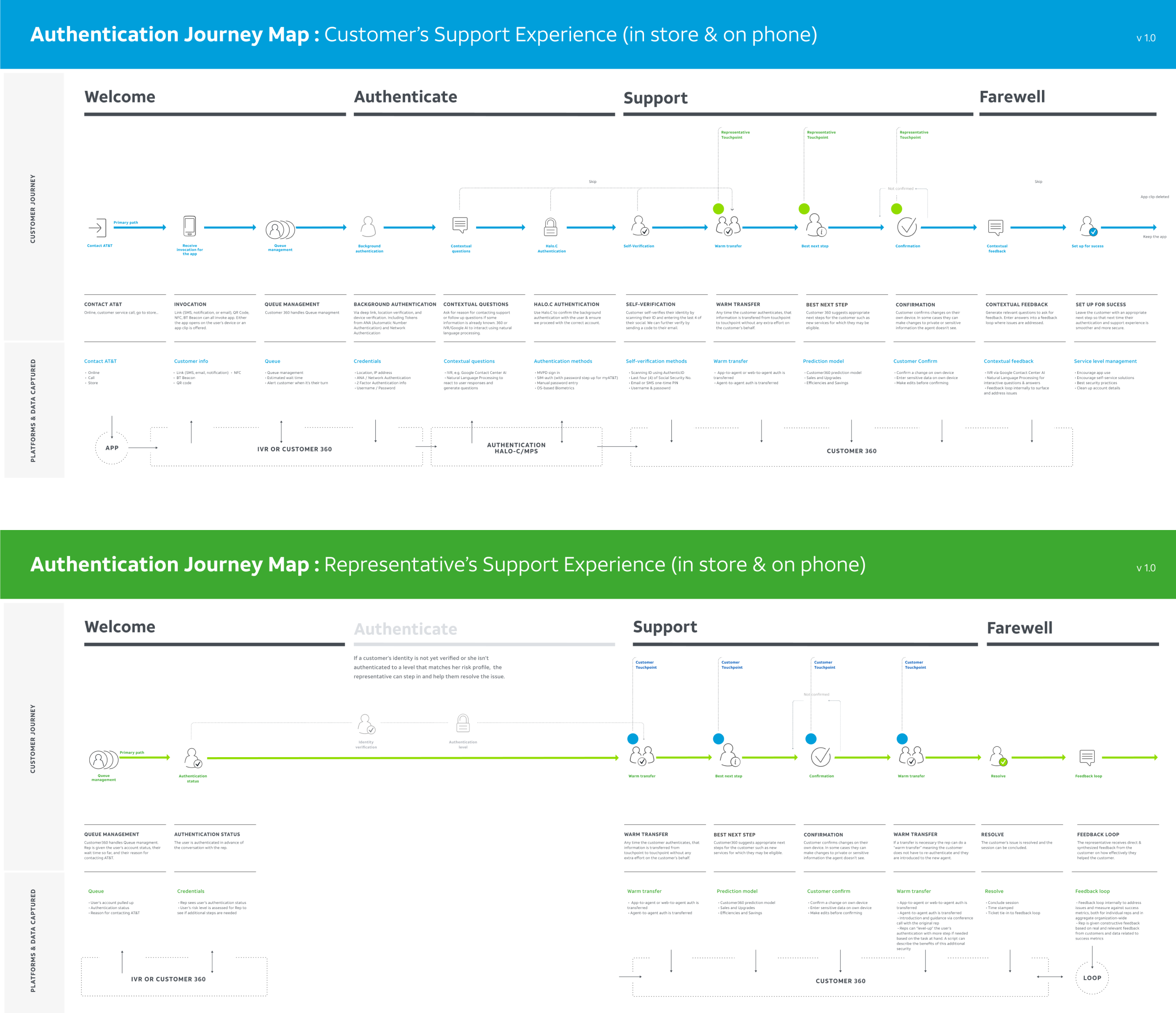
User and Customer Support User Journey maps show the removal of the Authentication stage for Support staff and minimal interaction needed from the user (most of the work happens in the background).
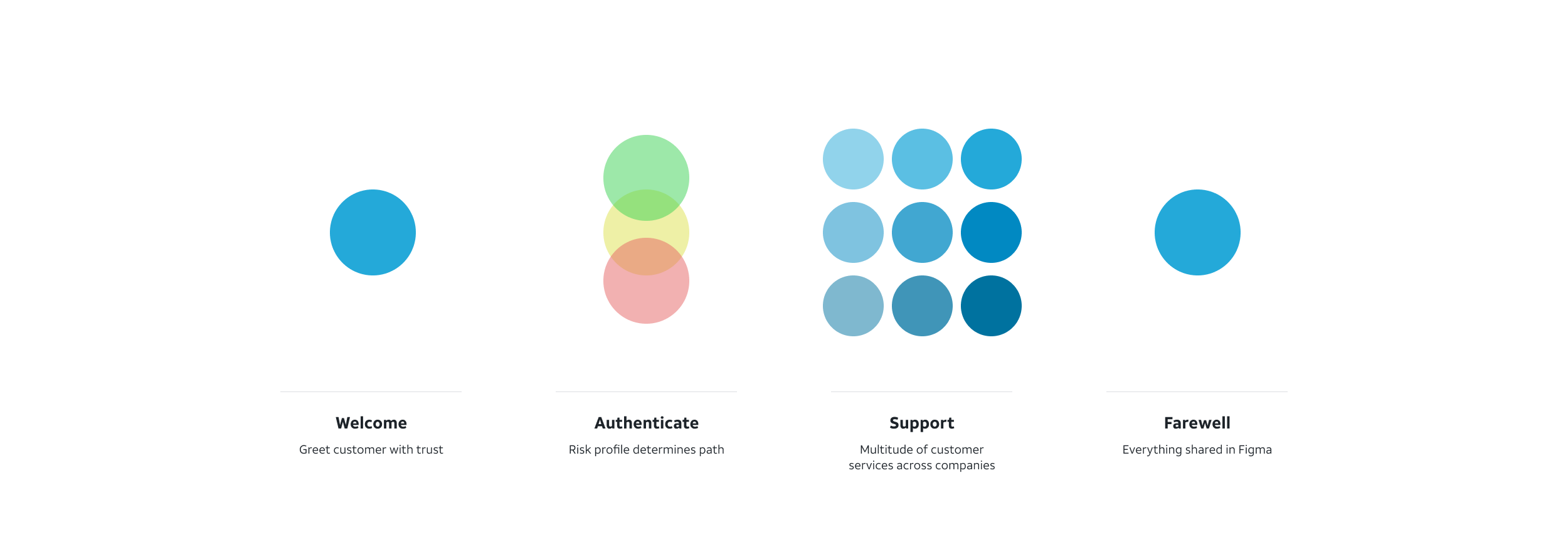
In order for Risk assessment and Authentication to be consistent across so many services and contexts, we broke down the user experience into four stages. Then we trialed variations on authentication for different products and contexts.
We focused on authentication for customer support in store at first, but quickly needed to also solve for over the phone support, authenticating your identity with a new phone, new TV, new wireless service, what about when you lost your phone.
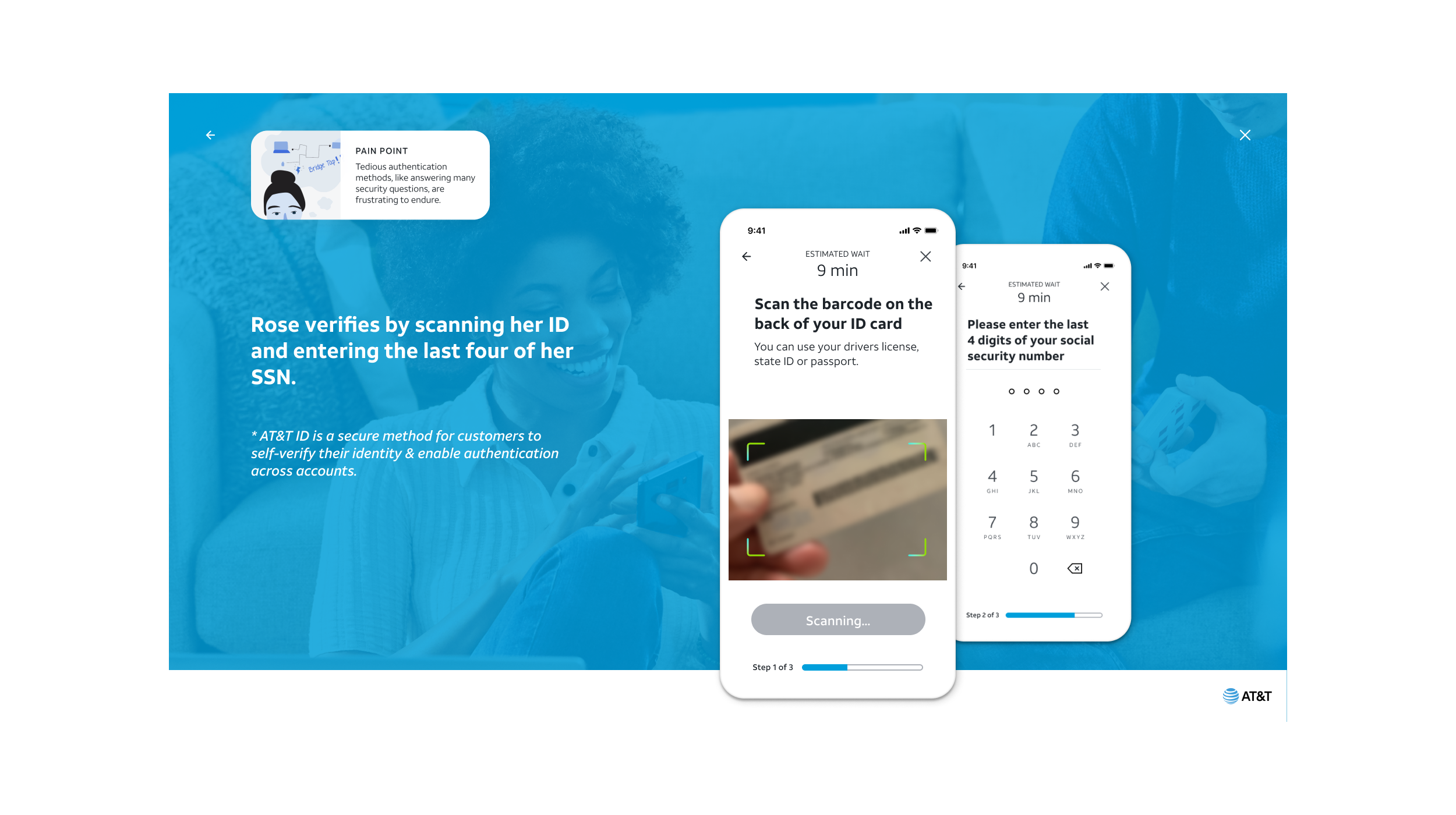
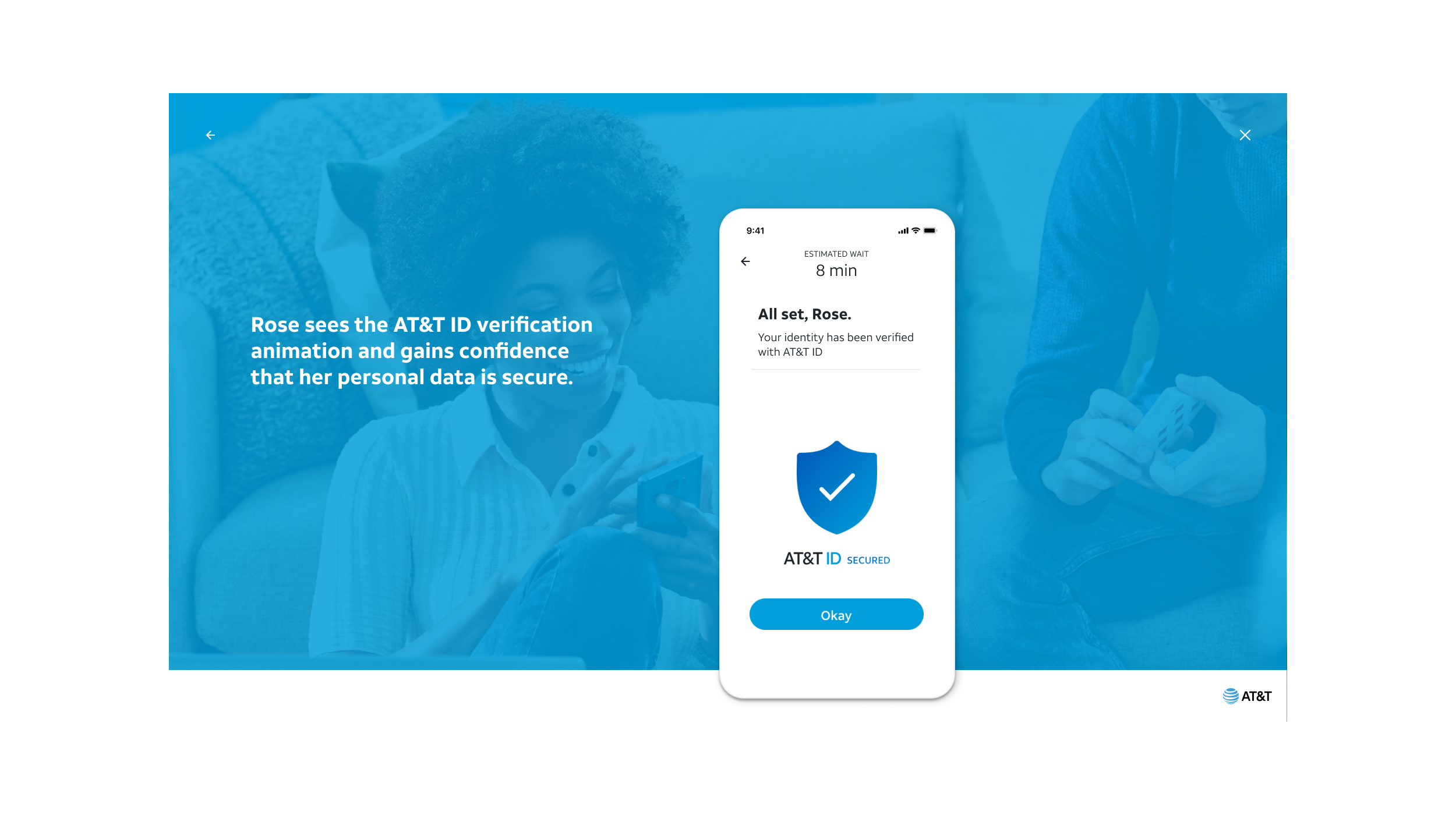
A user can verify their ID without remembering a password, passphrase, passcode or pin. Their AT&T accounts are linked under their unique AT&T ID, regardless of which account or service they are interacting with.
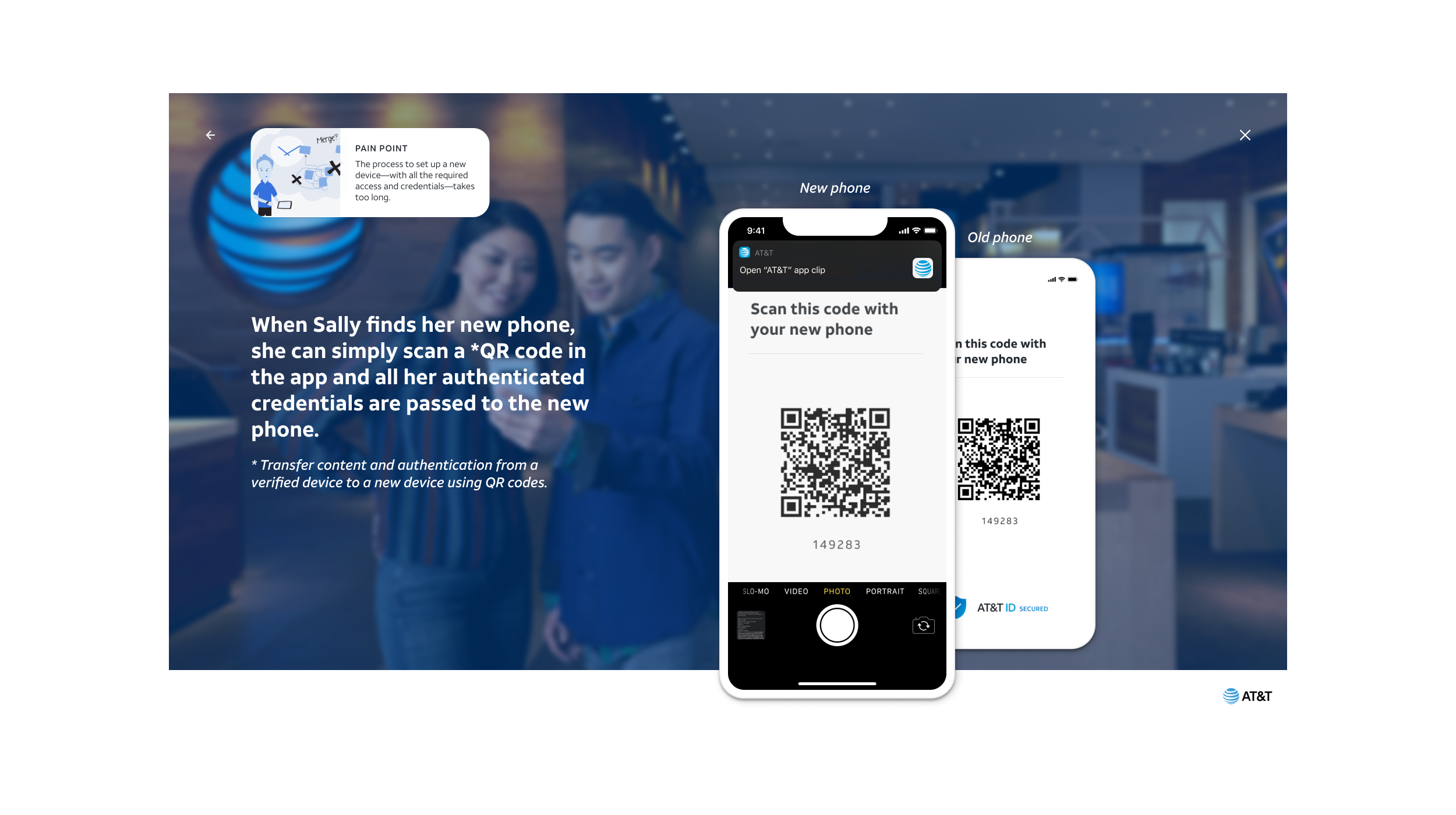
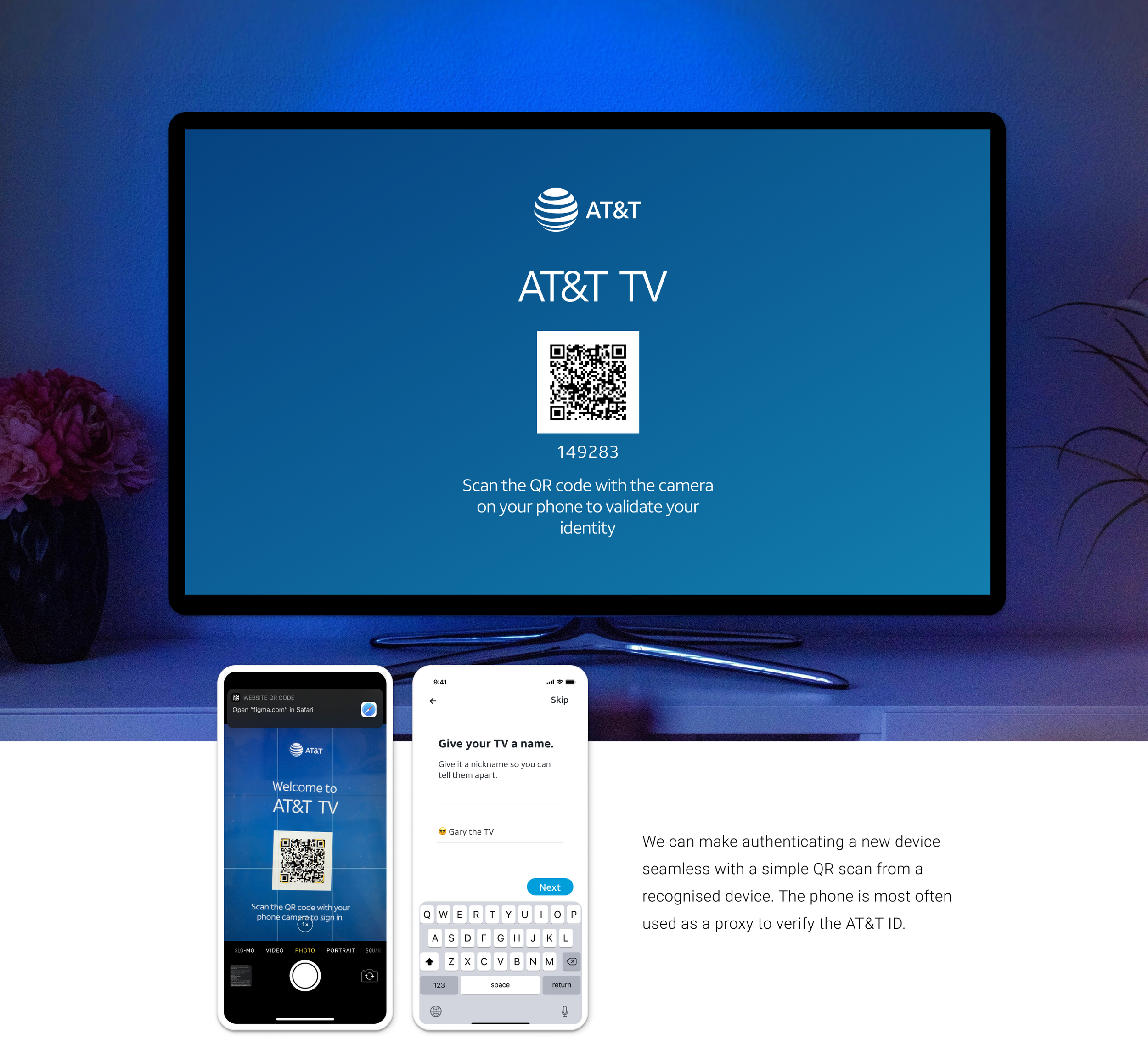
Beyond authentication, we also looked at interesting ways to make the customer support experience more helpful.
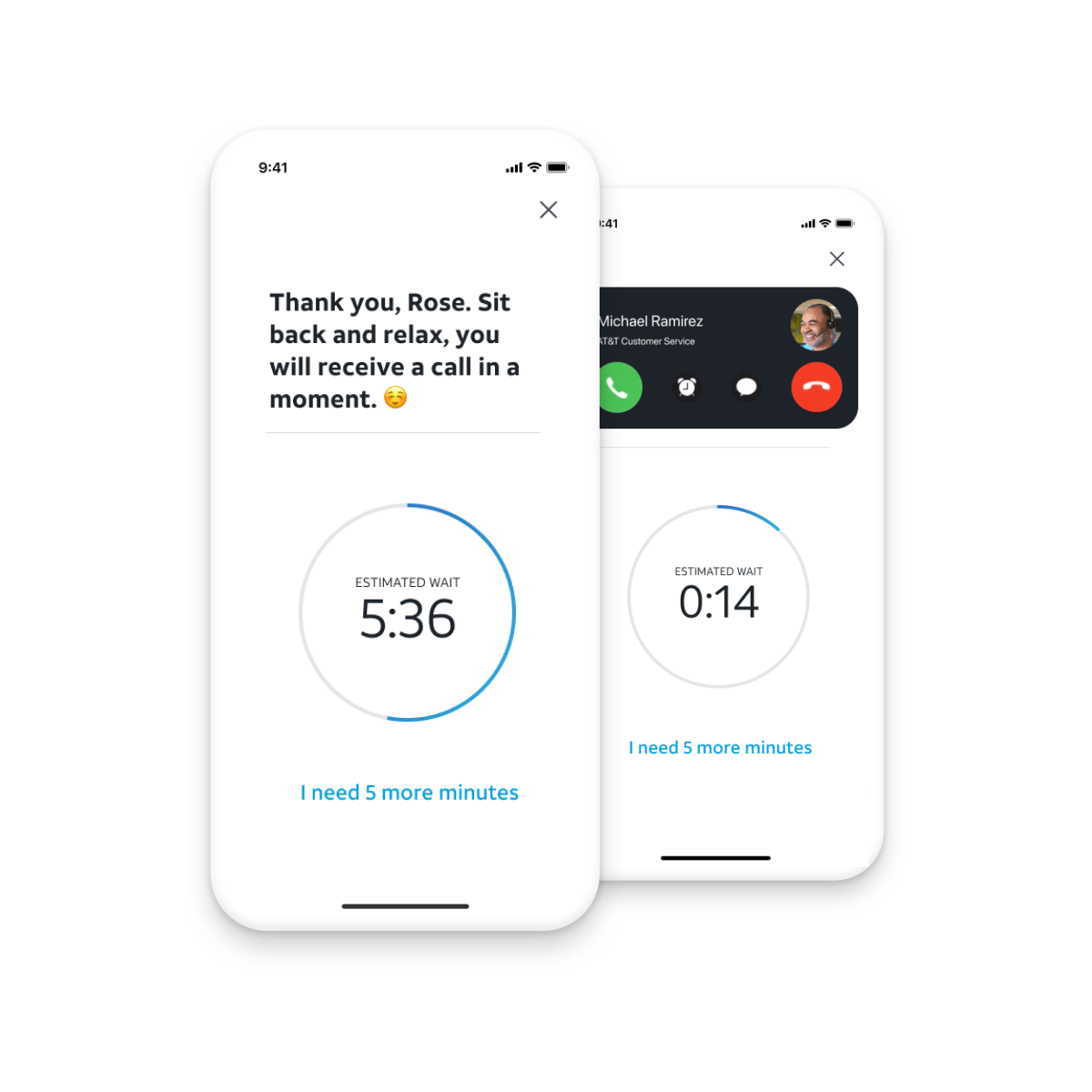
We also looked at the representative’s view in Salesforce for ways to better support them in confirming information with the customer or facilitating a “warm transfer” to another representative, Queue management, and using a mini app on the user’s phone to facilitate information sharing over the phone.
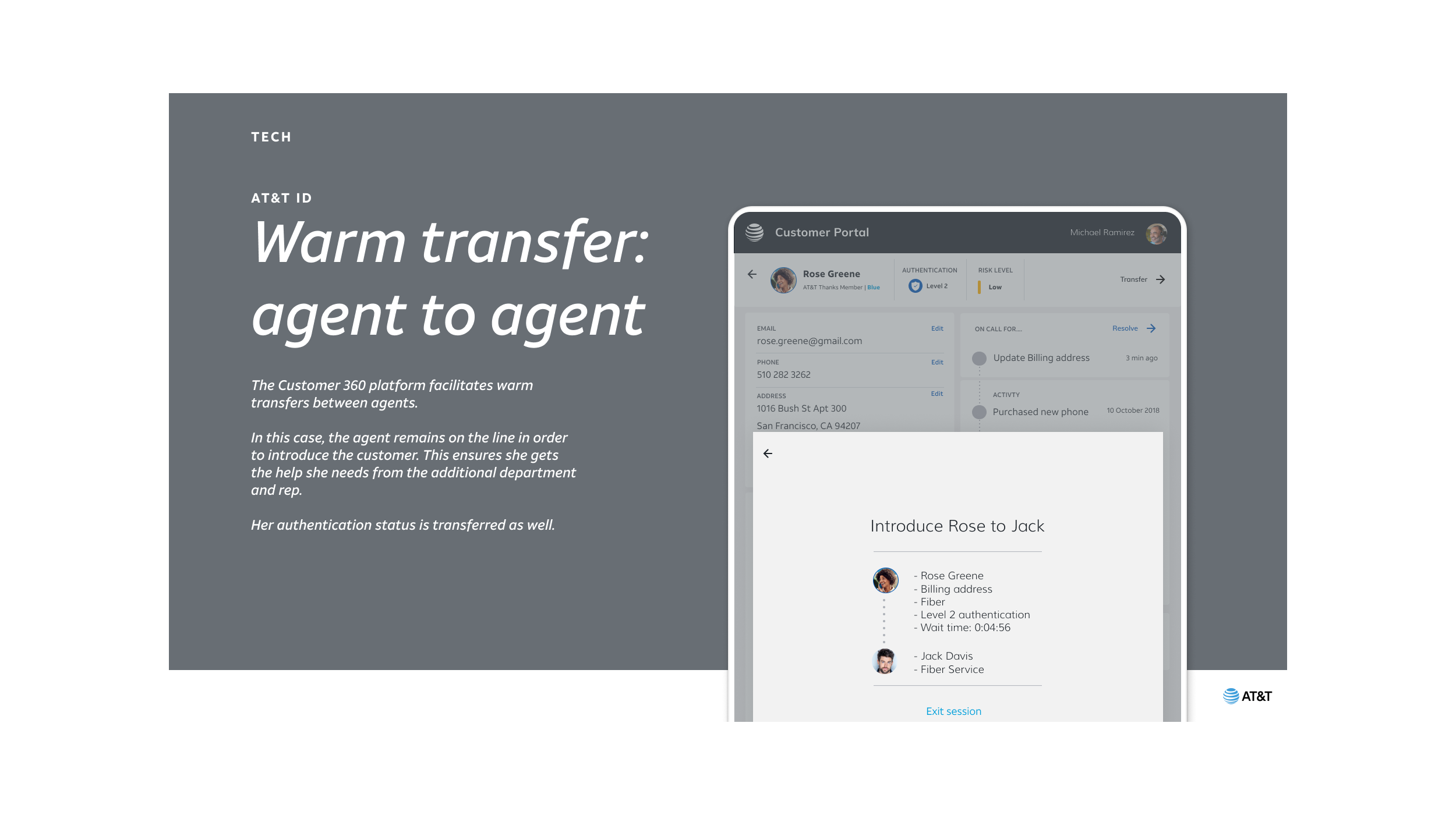
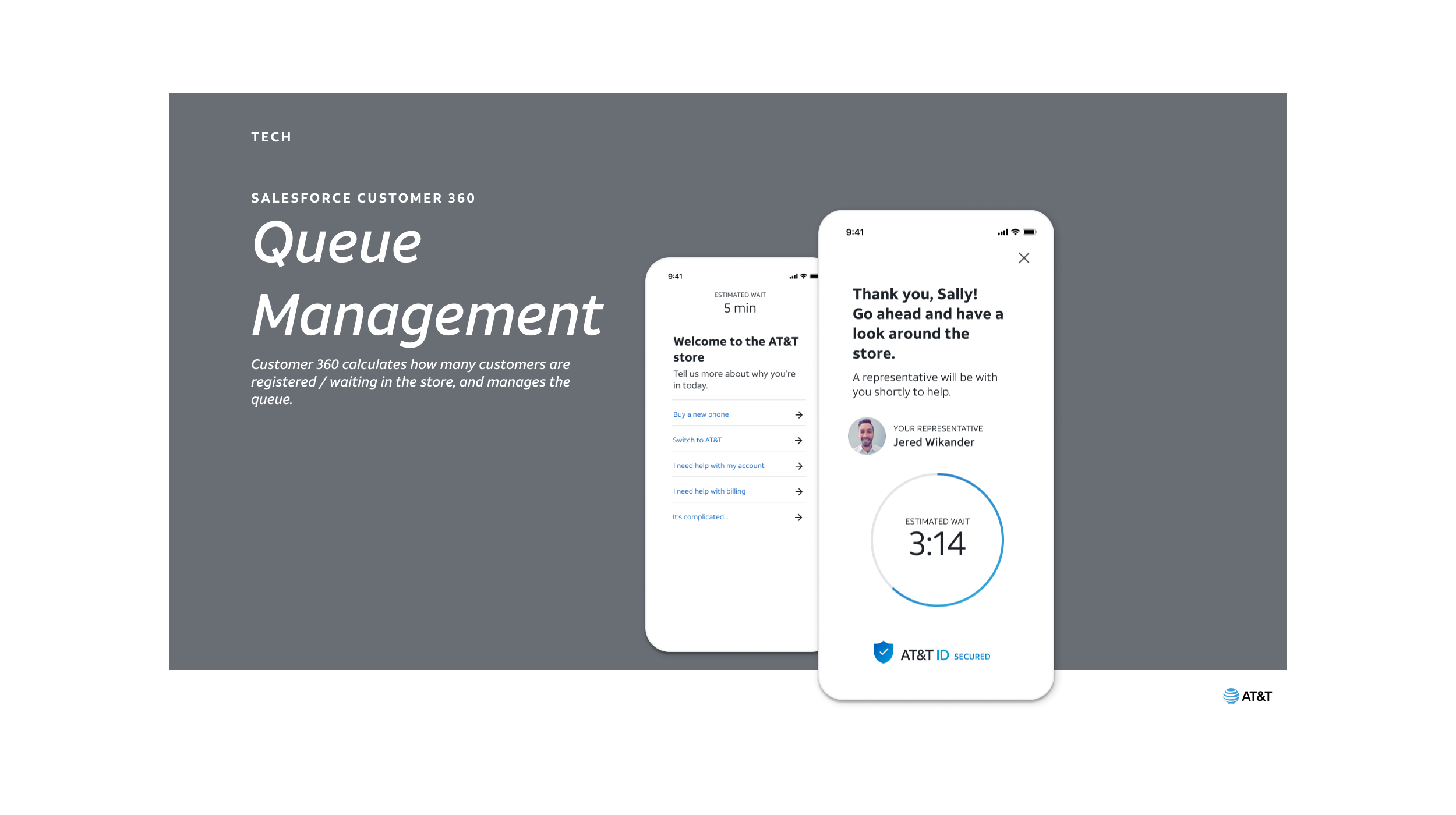
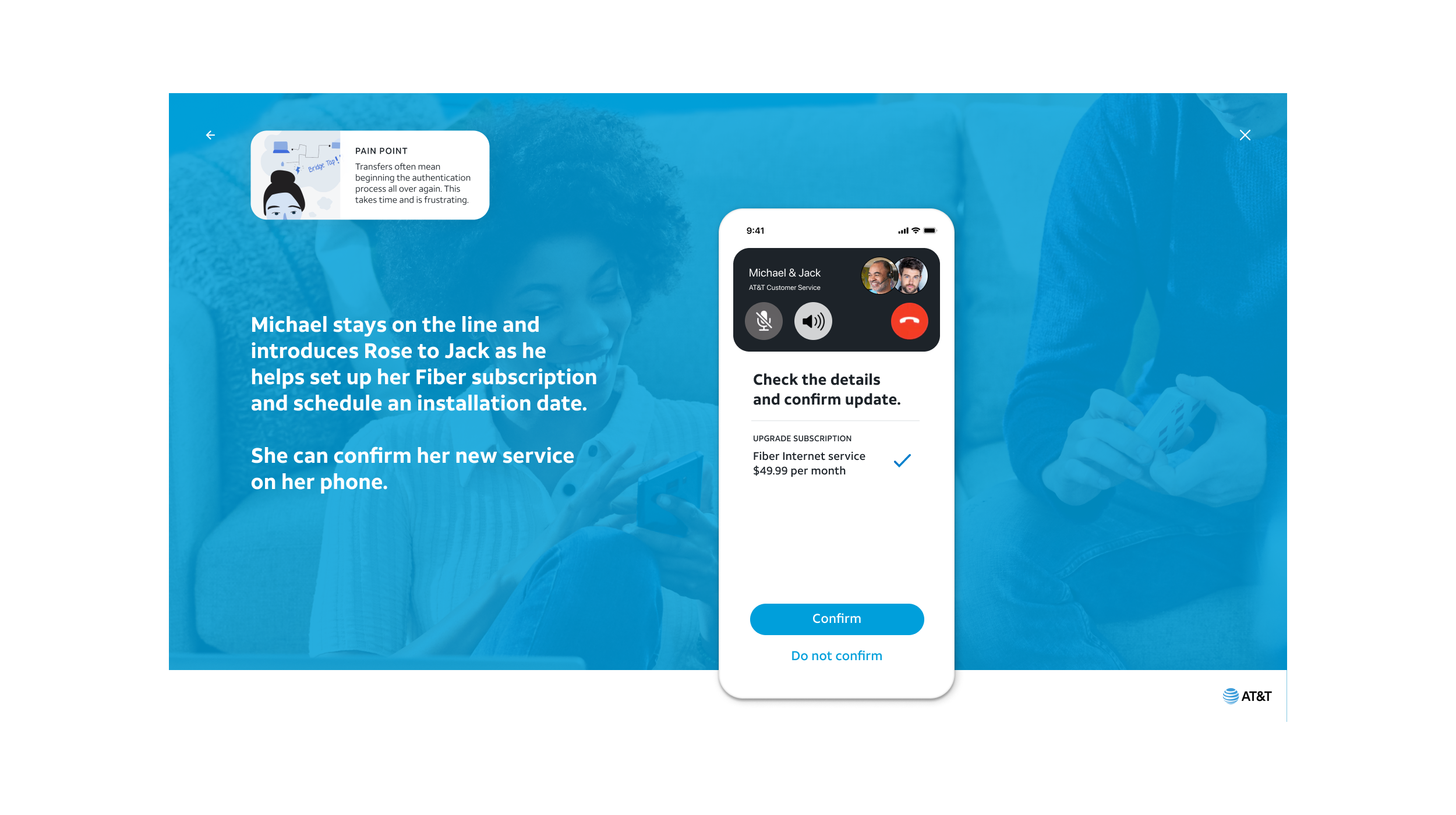
Trust goes both ways and when people feel trusted by a company they are more comfortable trusting back.
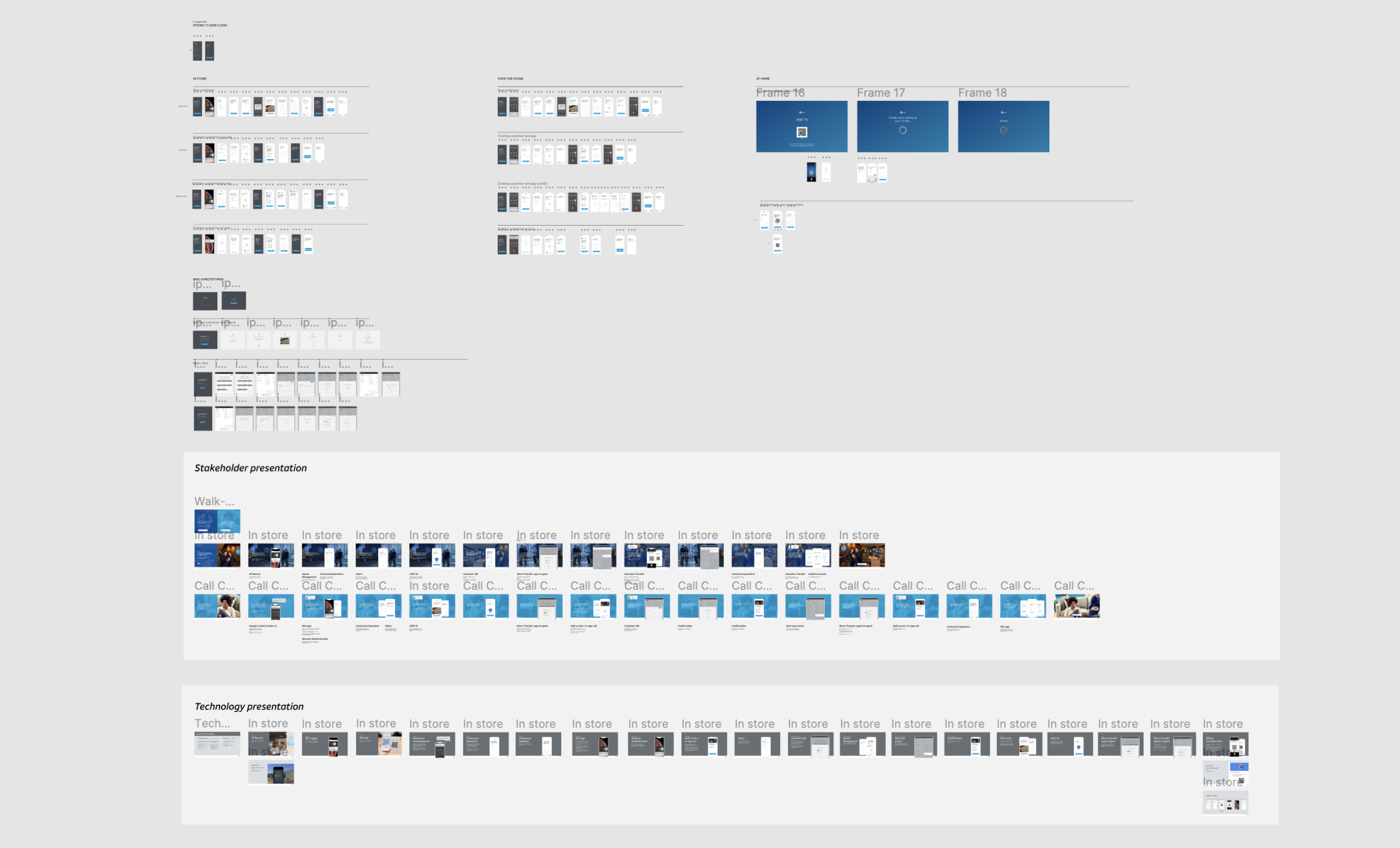
With remote teams in two time zones, we stretched the workday rather than the workload. We used asynchronous tools like Figma and recorded our video calls to share later.
We completed a vast amount of work for AT&T in 6 weeks. This was possible because we leveraged an overseas team. I was Lead designer in Amsterdam and my counterpart in the US handled calls with the client, recorded design reviews and sent me notes and feedback. I would essentially design new flows overnight. This 16hr work day meant that our turn around time from feedback to design in Figma was practically nothing and we could over deliver on the brief.